SWYTOOL product guides
PLUGIN 30 / E-commerce Sellers
swytool · Illustrated Plugin Guide

Japan Qoo10 Plugin

Collect seller and product sourcing leads from Qoo10

Japan Qoo10 Plugin illustration

Build a seller list focused on Japan-based Qoo10 stores, while tracking shipping country, country of manufacture, and store product count.

Want to learn how this plugin can be used in your target market?Inquire About Plugin Solutions →

Two Key Features

01

Store Discovery

Compile store names and links from target product and store pages.

02

Business and Supply Chain Leads

Read publicly available company names, addresses, contacts, phone numbers, email addresses, and shipping or manufacturing locations.

Use Cases and How It Works

Suitable Use Cases

Suitable for Japan-focused logistics providers, suppliers, and cross-border service teams looking for sellers with cross-border fulfillment needs.

How Public Information Becomes Leads

Link stores on product pages to sellers’ public pages, then use the shipping country and product country of manufacture to assess potential service needs; these fields must be verified individually.
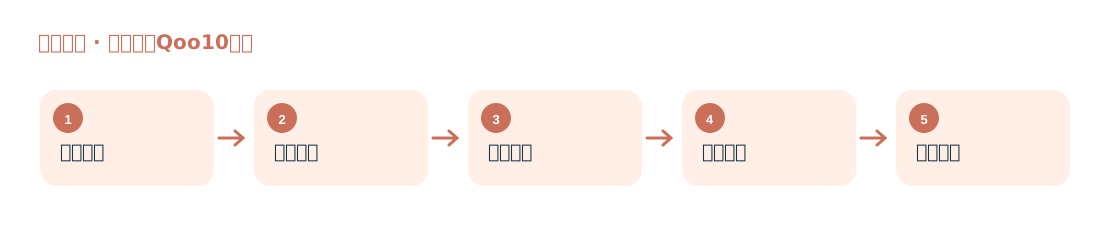
Steps

Japan Qoo10 Plugin workflow diagram
  1. Select target categories on Japan Qoo10.
  2. Search for products and locate stores.
  3. Collect publicly available store and business information.
  4. Check whether the shipping location and country of manufacture match your service coverage.
  5. Deduplicate and export the data, then sort it by supply or logistics needs.
Key FieldsStore name, link, shipping country, country of manufacture, product count, company name, address, contact, phone number, email address.