SWYTOOL product guides
PLUGIN 11 / Trade Show Lead Generation
swytool · Plugin Illustrated Guide

10Times Exhibitor Extraction Plugin

Find companies in the same industry through trade shows

10Times Exhibitor Extraction Plugin illustration

Use 10Times trade show and exhibitor pages to turn industry events into company lists for research.

Want to learn how this plugin can support your target market?Inquire about plugin options →

Two Key Features

01

Filter Trade Shows by Industry

Find trade shows or business events related to your target products by country, region, and industry.

02

Extract Exhibitors

Compile company names from event details and exhibitor lists, then look up their websites and contacts.

Use Cases and How It Works

Suitable Use Cases

Suitable for manufacturers, foreign trade companies, and trade show service providers building an industry prospect pool from exhibitor lists.

Turning Public Information into Leads

Exhibitor lists provide company names and trade show context; websites, email addresses, and key contacts usually need further verification through searches and other plugins.
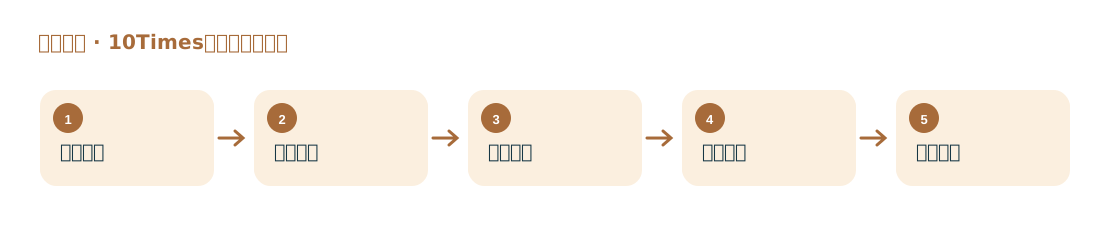
Steps

10Times Exhibitor Extraction Plugin workflow diagram
  1. Select the trade show industry and country that match your products.
  2. Open the target trade show details and exhibitor page on 10Times.
  3. Run the exhibitor extraction and check for duplicates and abbreviations.
  4. Search by company name to find its website and purchasing roles.
  5. Export the data, record the trade show source, and arrange personalized follow-up.
Key FieldsTrade show name, country, industry, exhibitor names, and visible links to company pages.